
In today’s digital landscape, your website is more than just a virtual storefront; it’s your most powerful marketing tool. But even with great products, compelling content, and strong advertising, you may still struggle to convert visitors into customers. Why?
The answer lies in UX mistakes.
User Experience (UX) design is about making your website functional, user-friendly, and delightful to interact with. Unfortunately, website UX mistakes are surprisingly common and can quietly undermine your performance. From poor navigation to slow loading times, these user experience mistakes can drastically reduce engagement and drive away potential customers.
In this post, we’ll dive into the top 7 UX design mistakes that are killing your website conversions, provide bad UX examples, and guide you on how to fix UX issues on your website to improve website conversion rate. Let’s get started.
To truly optimize your website for conversions, you must first understand what’s holding it back. Many businesses unknowingly make small UX mistakes that create friction in the user journey and drive potential customers away. Below, we’ve outlined the Top 7 website UX Mistakes that may be hurting your performance, along with clear solutions to help you fix them and improve your website conversion rate.
1. Cluttered Design and Information Overload
One of the biggest offenders in bad UX is an overly cluttered website design. Many businesses fall into the trap of trying to showcase everything at once: services, offers, testimonials, CTAs, menus, pop-ups, all crammed into a single page. While the intention is good, the result is overwhelming for the user.
🔴 Bad UX Example:
Imagine landing on a homepage that has sliders, multiple CTAs, banners, floating chat windows, and promotional pop-ups all vying for attention. The user doesn’t know where to look, and in confusion, they exit the site.
✅ How to Fix:
- Use whitespace to give the content breathing room
- Focus on the most important messages above the fold
- Limit CTAs to one primary action per section
- Use a clear visual hierarchy to guide users
This common UX design mistake not only confuses your audience but disrupts their natural browsing flow. Simplifying your layout can make your website significantly more engaging and can help improve website conversion rate.
2. Slow Loading Times
Website speed is more important than ever. Research shows that users expect a website to load in 2 seconds or less. If it doesn’t, they’re likely to leave—costing you conversions, credibility, and search rankings. This makes slow loading one of the most critical UX mistakes.
🔴 Bad UX Example:
You click on a product link and it takes 5–6 seconds to load. You get frustrated and close the tab. You’re not alone, most users would do the same.
✅ How to Fix:
- Optimize images and compress large files
- Minify JavaScript, CSS, and HTML
- Use a fast hosting provider with a good CDN
- Regularly test your site speed using Google PageSpeed Insights or GTmetrix
Slow pages are a silent killer of user engagement and website conversion. Speed is a non-negotiable part of the user experience and a key factor in how UX impacts conversion rate optimization.
3. Poor Mobile Responsiveness
In a mobile-first world, your website must look and work great on smartphones and tablets. If it doesn’t, you’re leaving money on the table. User experience mistakes on mobile include tiny buttons, unreadable text, poor spacing, and horizontal scrolling.
🔴 Bad UX Example:
A user opens your website on their phone and has to pinch-zoom just to read the text or click a CTA. That’s not just annoying, it’s a lost sale.
✅ How to Fix:
- Implement responsive design using flexible grids and media queries
- Make sure touch targets (buttons, links) are finger-friendly
- Use mobile-friendly fonts and layouts
- Test regularly on multiple devices and screen sizes
- Poor mobile UX is one of the most widespread website UX mistakes, especially for older websites. Fixing this can significantly improve website conversion rate, especially from mobile traffic.
4. Confusing Navigation
When users land on your website, they need to find what they’re looking for easily. If your menu is too complex, poorly labeled, or buried in design elements, users get lost, and they leave.
🔴 Bad UX Example:
A service-based business uses vague navigation labels like “Solutions” or “Innovation” instead of clearly saying “Services” or “What We Do.” Visitors can’t tell where to click.
✅ How to Fix:
- Keep menu options simple and intuitive
- Use clear and direct labels
- Limit top-level navigation items
- Include search functionality and breadcrumbs on larger sites
A confusing layout causes frustration, which is one of the most avoidable UX mistakes. Clean and intuitive navigation reduces friction, increases dwell time, and boosts website conversion rates.
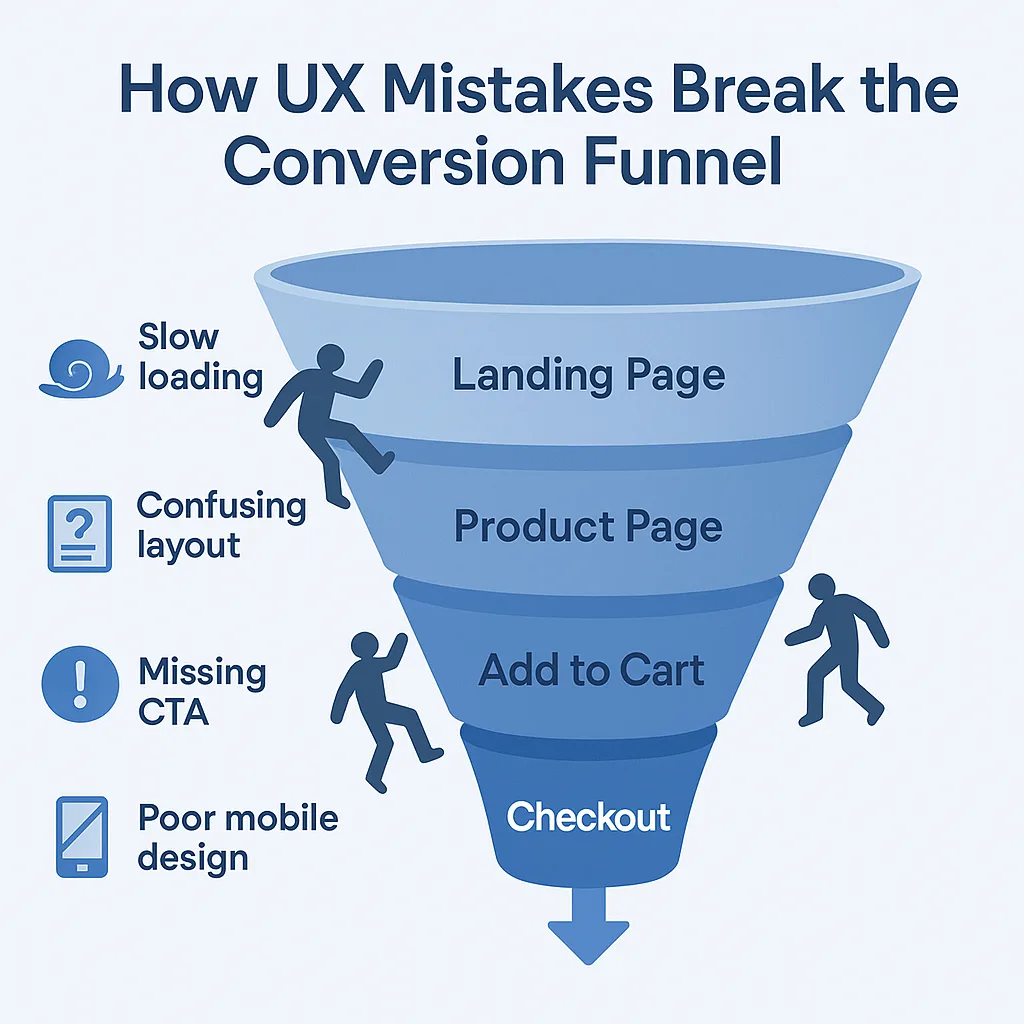
5. Weak or Poorly Positioned CTAs
Your Call-to-Action (CTA) is the bridge between browsing and taking action, whether it’s making a purchase, filling out a form, or scheduling a call. However, many websites suffer from UX design mistakes like weak CTAs, vague language, or bad placement.
🔴 Bad UX Example:
A contact page has a button that says “Submit” instead of “Book Your Free Consultation.” Or worse, the CTA is buried at the very bottom of a long scrolling page.
✅ How to Fix:
- Use action-driven text like “Get Started” or “Claim My Discount”
- Position CTAs above the fold and at key decision points
- Make buttons large, clickable, and visually distinct from other element
CTAs are directly tied to website conversion. Optimizing them is one of the simplest and most effective ways to turn browsers into buyers.
6. Lack of Trust-Building Elements
Trust is essential online. If your website lacks social proof, professional visuals, or transparency, users will hesitate, and that hesitation can kill conversions. This is one of the most underestimated user experience mistakes.
🔴 Bad UX Example:
Your website has no reviews, case studies, or security badges. Contact information is hidden or missing entirely. The visuals look outdated or overly corporate.
✅ How to Fix:
- Display testimonials, client logos, case studies, and reviews
- Include SSL certification, privacy policy, and secure payment icons
- Use real images of your team, workspace, or products
Adding trust signals builds credibility and confidence. Addressing this UX mistake can significantly improve website conversion rate, especially for first-time visitors.
7. No Feedback or Micro interactions
Good UX includes subtle, responsive feedback when a user takes action. When users click buttons, fill out forms, or scroll through content, they expect visual or functional feedback. If nothing happens, they’re left wondering if the site is broken.
🔴 Bad UX Example:
A form is submitted, but there’s no success message. Or a button doesn’t change color when hovered over. These details matter.
✅ How to Fix:
- Use animations or hover effects for interactive elements
- Show confirmation messages or loading indicators
- Display clear validation and error messages on forms
Micro interactions may seem small, but they are powerful for improving UX. Including them enhances user confidence and helps users stay engaged.
Conclusion: Don’t Let UX Mistakes Cost You Conversions
Your website may be beautifully designed, but even small UX mistakes can silently destroy your chances of converting visitors into customers. Whether it’s a slow site, poor mobile responsiveness, hidden CTAs, or a lack of trust, these website UX mistakes can make or break your online success.
The good news? All of these user experience mistakes are fixable. With a focus on how to fix UX issues on your website, you can create a better journey for your users, and see a measurable improvement in conversions.
If you want to improve website conversion rate, start by reviewing your site from the user’s perspective. Make sure every click, scroll, and form submission feels easy and intuitive. That’s how UX impacts conversion rate optimization in the real world.
✅ FAQs
Q1: What are the most common UX mistakes that hurt conversions?
A: The most common UX mistakes include cluttered layouts, slow-loading pages, poor mobile design, vague navigation, weak CTAs, and lack of trust-building elements.
Q2: How do website UX mistakes affect performance?
A: Poor UX leads to higher bounce rates, lower engagement, and lost sales. User experience mistakes make it harder for visitors to find what they want and take action.
Q3: How to fix UX issues on your website quickly?
A: Start with a basic UX audit. Improve site speed, simplify your layout, optimize CTAs, and ensure mobile responsiveness. Tools like Hotjar, Google Analytics, and PageSpeed Insights can help.
Q4: Why does UX matter for SEO and conversion?
A: Google uses signals like bounce rate and dwell time in its ranking algorithm. Better UX keeps users engaged longer, which helps both SEO and conversion rate optimization.
Q5: Can small UX improvements really improve website conversion rate?
A: Absolutely. Small changes, like faster load times or clearer CTAs, can make a big difference in how users behave and how many convert.