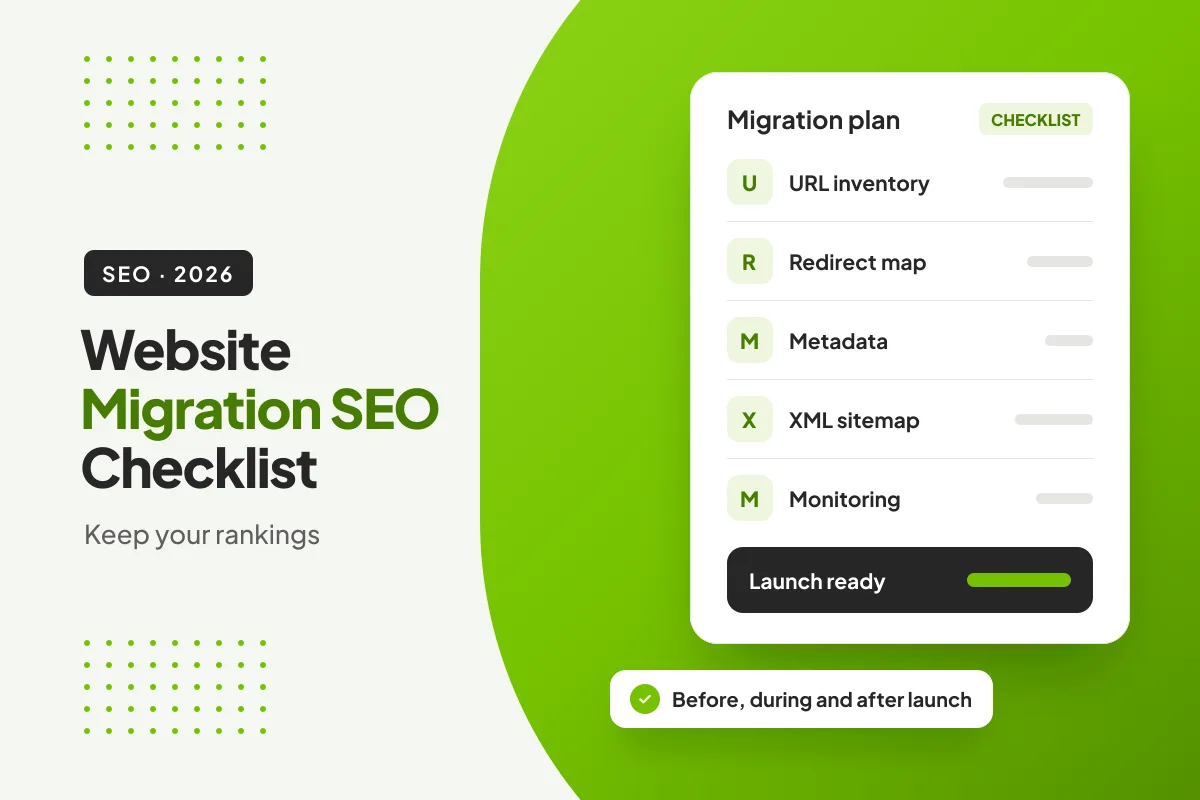
A website migration keeps its search rankings when every old URL that matters sends visitors and search engines to the right new page, and the new pages keep the content, titles and signals that earned those rankings. In practice, that means four phases: inventory and map every URL before you build, carry your SEO over during the build, switch on 301 redirects and a new sitemap on launch day, then monitor and fix problems for months afterward.
This checklist works for any platform change: WordPress to Shopify, WooCommerce to Shopify, WordPress to Next.js, a redesign that changes your URL structure, or a move to a new domain. It is based on Google's own guidance for site moves, and it is written for business owners and marketing managers who need to brief a developer or check that the work is being done properly. No migration can guarantee rankings, but following these steps removes the avoidable reasons sites lose them.
Why migrations lose rankings
Search engines rank individual URLs, not your business. When a URL changes, Google has to discover the new address, understand that it replaces the old one and move its signals across. Rankings usually drop after a migration for a handful of predictable reasons:
- Missing or wrong redirects. Old URLs return 404 errors, or every old page is redirected to the homepage instead of its real replacement.
- Lost content. Pages are shortened, merged or dropped during a redesign, so the new page no longer answers the searches the old one ranked for.
- Lost on-page SEO. Titles, meta descriptions, headings, image alt text and structured data are not carried over.
- Blocked crawling. The staging site's noindex tag or robots.txt block goes live with the new site.
- Broken internal links. Menus and in-content links still point to old URLs, creating redirect chains or dead ends.
Even a careful move takes time to settle. Google's guide to site moves with URL changes says to "expect temporary fluctuation in site ranking during the move", and that a small to medium-sized website "can take a few weeks for most pages to move", with larger sites taking longer. The goal of this checklist is to make that fluctuation short and recoverable.
Before the migration: inventory, benchmark and map
1. Crawl and inventory every URL
Build one spreadsheet of every URL on the current site. Combine several sources, because each one misses something:
- A crawl of the live site with an SEO crawler
- Your current XML sitemap
- The Pages report in Google Search Console (Performance), exported for the last 12 to 16 months
- Landing pages from your analytics tool
- Pages that other websites link to, from Search Console's Links report
- PDFs, image files and old campaign landing pages that are not in your menus
2. Export your top pages and benchmark performance
From Search Console, export clicks, impressions and average position by page and by query. From analytics, record traffic, leads and sales by landing page. Save these exports before anything changes: they are your baseline for judging the migration, and they tell you which pages deserve the most care. Note your Core Web Vitals and the number of indexed pages as well.
3. Decide on your URL structure
The safest migration keeps URLs exactly the same, because nothing needs redirecting. That is often possible when moving from WordPress to a custom Next.js site, where you control the routing. Some platforms use fixed paths: on Shopify, products live under /products/ and collections under /collections/, so most product and category URLs from WooCommerce or WordPress will change. If URLs must change, choose a clean, permanent structure now. Changing it again a year later means a second migration.
4. Map every old URL to its new URL
Add a "new URL" column to your inventory. Google's guidance is direct: once you have the list of old URLs, "decide where each one should redirect to." Rules for a good map:
- Redirect each old page to its closest equivalent: product to product, article to article, category to category
- Only redirect to a parent category or the homepage when there is genuinely no equivalent
- Start with the pages that bring the most traffic, links and revenue
- Decide what happens to pages you are removing on purpose; if nothing replaces them, a 404 or 410 is acceptable
- Include URL variants: trailing slashes, uppercase letters, old query-string URLs, http and www versions
5. Plan one change at a time
Google advises: "Plan your changes to your site one after the other, not everything at the same time." A new platform, a new domain, a full redesign and rewritten content all at once make it hard to tell what caused a drop. If the business needs several changes, consider staging them, for example moving platform first and changing the domain later. Google also suggests timing the move for a lower-traffic period if you can.
During the build: carry your SEO across
6. Build the 301 redirect map
Use permanent, server-side redirects. Google's redirects documentation explains that 301 and 308 status codes mean a page has permanently moved, and that a server-side redirect has the highest chance of being interpreted correctly. JavaScript redirects are a last resort. Send each old URL straight to its final destination. If a chain cannot be avoided, Google suggests keeping it "ideally no more than 3 and fewer than 5" redirects long.
How you add redirects depends on the platform: server rules or a redirect plugin on WordPress, a redirects configuration in a Next.js project, or Shopify's URL redirects tool, which accepts a CSV import. Note that Shopify only redirects broken URLs: if an old URL still loads a valid page, the redirect will not run. Our WooCommerce to Shopify migration guide covers that platform move step by step.
7. Keep titles, meta descriptions, headings and content
For every page that ranks, carry over the title tag, meta description, H1 and main body content. Keep the words that match the searches the page ranks for. A migration is a fair time to improve weak pages, but rewriting your strongest pages at the same time as moving them adds risk. Change them after the new site has settled.
8. Canonical tags, hreflang and structured data
- Each new page should have a self-referencing canonical tag pointing to its new URL, not the old one or the staging domain
- If you run multiple languages or regions, update hreflang annotations to the new URLs
- Recreate structured data such as Product, Article, Breadcrumb, Organization and FAQ markup, and validate it
9. Internal links, images and alt text
Update menus, footers and in-content links to point directly at the new URLs instead of relying on redirects. Keep image file names and alt text where you can; if image URLs change and images bring you search traffic, redirect the important ones too.
10. Protect the staging site, and plan to unprotect it
Keep the staging site out of search results with password protection or a noindex rule. Then write down exactly where those blocks are. Google recommends preparing a list of URLs from which you will remove the noindex rules before launch, because a forgotten noindex tag is one of the fastest ways to lose a site's rankings.
Launch day checklist
- Switch on the redirects and test a sample of old URLs from your map, including your top 50 to 100 pages. Each should return a 301 or 308 to the right page in one step.
- Remove staging blocks: noindex tags, password protection and robots.txt rules that blocked crawling.
- Check robots.txt on the live site, and that it does not block important sections, CSS or JavaScript.
- Submit the new XML sitemap in Search Console. Google's sitemap documentation asks for fully qualified, absolute URLs, and notes that a sitemap is a hint, not a guarantee of crawling. A single sitemap is limited to 50MB uncompressed or 50,000 URLs.
- Verify both sites in Search Console if the domain changes, and submit a Change of Address for the old site. Google says this applies when you change domain names or subdomains, not to path-only changes.
- Inspect key URLs with Search Console's URL Inspection tool to confirm the new pages can be crawled and indexed.
- Check analytics and conversion tracking: the analytics tag, form and purchase events, ad pixels and goals should all fire on the new site.
After launch: monitor and fix
- Watch the Page indexing report in Search Console for new "Not found (404)" errors, pages excluded by noindex and redirect errors. Fix them as they appear.
- Find and flatten redirect chains, especially where old redirects from a previous migration now point to URLs that redirect again.
- Compare traffic with your baseline page by page, not just in total, so you can see which sections are recovering and which are not.
- Update key backlinks. Ask partners, directories and other sites linking to you to update links to your new URLs, and update your social profiles, email signatures and ad campaigns.
- Check your server can handle extra crawling. Google notes that it crawls a moved site more heavily for a while.
- Keep the redirects. Google recommends keeping them "for as long as possible, generally at least 1 year". In practice, leaving them in place indefinitely is the safest choice.
The website migration SEO checklist
Copy this list into your project plan and tick each item off.
Before
- Full URL inventory from a crawl, sitemap, Search Console, analytics and backlinks
- Baseline exports: clicks, impressions, positions, traffic and conversions by page
- Final URL structure agreed
- Old-to-new URL map complete, top pages checked by hand
- Migration scheduled for a lower-traffic period, with other big changes staged separately
Build
- 301 or 308 redirects created for every mapped URL, with no chains
- Titles, meta descriptions, H1s and content carried over
- Self-referencing canonical tags and updated hreflang
- Structured data recreated and validated
- Internal links updated to new URLs
- Image URLs and alt text kept or redirected
- Staging site blocked, with a list of every block to remove
Launch
- Redirects live and tested
- Noindex, password and robots.txt blocks removed
- New XML sitemap submitted
- Change of Address submitted (domain changes only)
- Analytics and conversion tracking tested
After
- Page indexing report and 404s checked weekly
- Redirect chains fixed
- Traffic compared with the baseline page by page
- Important backlinks and profiles updated
- Redirects kept in place long term
Common website migration SEO mistakes
- Redirecting everything to the homepage. It is quick, but visitors and search engines lose the page they were looking for.
- Launching with noindex still on. Always check the live source code and robots.txt on launch day.
- Only mapping the pages in the menu. Old blog posts, PDFs and campaign pages often hold valuable links.
- Dropping content during a redesign. A cleaner page with half the text may no longer match the searches it ranked for.
- Removing redirects after a few months. Old links on other sites keep sending visitors for years.
- Forgetting tracking. Without working analytics, you cannot tell whether the migration succeeded.
- No baseline. If you did not export data before launch, there is nothing reliable to compare against.
Platform notes
WordPress or WooCommerce to Shopify: expect most product and category URLs to change because of Shopify's fixed paths, so the redirect map is the core of the job. WordPress to Next.js: you control the routes, so you can often keep every URL the same, but you must rebuild titles, meta tags, sitemaps, canonical tags and structured data that a WordPress SEO plugin used to generate. Domain change: redirect every URL on the old domain to its equivalent on the new one, and use Search Console's Change of Address tool. Redesign on the same platform: if URLs stay the same, focus on content, internal links and tracking. Our guide to website redesign services covers the wider redesign process.
Migrating with Shreeji Software
Shreeji Software is an in-house team with more than 15 years of experience building and moving websites and online stores. We handle the build on Shopify, WordPress and custom React and Next.js sites, and our SEO team plans the URL map, redirects, metadata and post-launch checks. If you only need SEO support alongside your own developers, you can hire an SEO expert by the hour or month.